Use your phone as the remote for your TV
Scan one QR code and your phone sends your playlists to AREZTV on the TV. After that, you can pick what to watch and control playback from your phone.
Before you start
- AREZTV on your TV (Apple TV today, more TVs coming soon)
- AREZTV on your iPhone or Android phone, with at least one playlist added
Pair in three steps
Open AREZTV on the TV
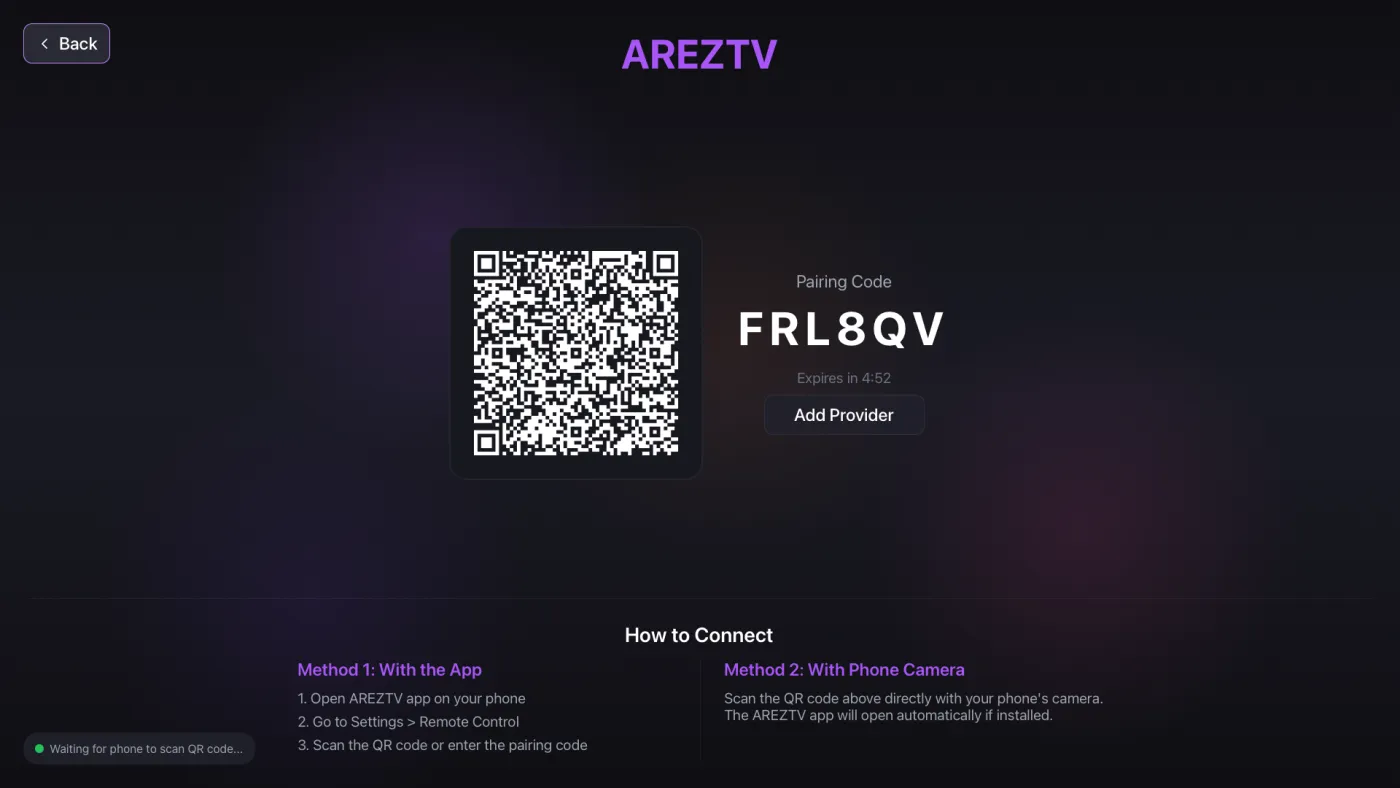
The TV shows a QR code and a short pairing code. To show them again later, go to Settings on the TV and choose Connect Phone.
Scan the code with your phone
Use your phone's camera. AREZTV opens and asks to connect. You can also open Settings › TV Remote in the app and tap Scan QR Code.
Confirm
Your phone asks before it sends your provider accounts to the TV. Confirm only if it is your own TV. Your playlists then load on the TV.
Control playback from your phone
Tap Take Control on your phone. What you choose on the phone plays on the TV, and you can play, pause, change the volume and move to the next or previous channel.
More than one TV
Tap Add TV and scan the code on another TV. Your phone remembers the TVs it is paired with, and you can disconnect from any of them.
If pairing does not work
- Invalid QR Code: scan the code shown by AREZTV on the TV, not another code on screen.
- The pairing code expires after a short time. If it has expired, show a new code on the TV and scan again.
- Camera Permission Required: allow camera access for AREZTV in your phone's settings.
AREZTV is a media player only. It does not include any channels or content. You need the playlist or login details from your own IPTV provider.
Questions
Do I need the app on my phone?
Yes. If the app is not installed, scanning the code opens the App Store or Google Play so you can get it, then scan again.
Can an Android phone pair with Apple TV?
Yes. Pairing works from AREZTV on iPhone or Android.
Is pairing safe?
Your phone shows the TV's name and asks you to confirm before it sends anything. Only confirm for your own TV.

Get AREZTV
On iPhone, iPad and Apple TV, and on Android phones and tablets.